Looking for a simple way to save Facebook videos to your phone or computer without installing any software? Whether it is a public video, a Facebook Reels video, or a video from a private group, FDown.vn lets you download it in seconds with full audio, supporting quality options up to HD, Full HD, and 4K, completely free of charge.
Why Use FDown.vn to Download Facebook Videos?
FDown.vn is a free online Facebook video downloader that works directly in your browser. No app installation, no account registration, no hassle. Here is what makes FDown.vn stand out:
- Download public Facebook videos and Facebook Reels instantly.
- Supports downloading private Facebook videos and videos from closed groups.
- Convert Facebook videos to MP3 to save audio tracks in high quality.
- Choose from multiple quality options: SD, 720p, 1080p, HD, and 4K.
- 100% free with no account required and no download limits.
How to Download Facebook Videos Using FDown.vn
Step 1: Copy the Facebook Video Link
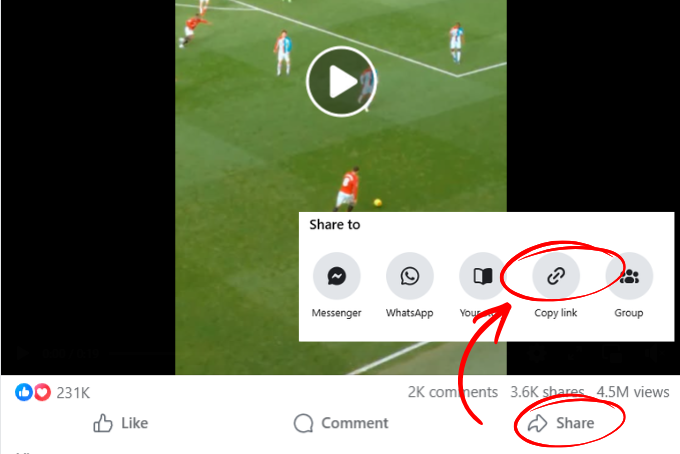
Open Facebook on your browser or mobile app. Find the video you want to save, tap the Share button, then select Copy Link to grab the video URL.
Step 2: Paste the Link into FDown.vn
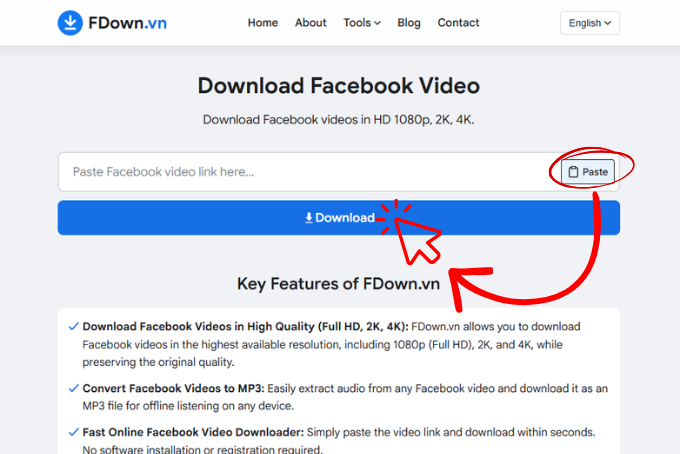
Open your browser and go to FDown.vn. Paste the copied video link into the input box on the homepage, then click the Download button to let the system process your request.
Step 3: Select Your Format and Save the Video
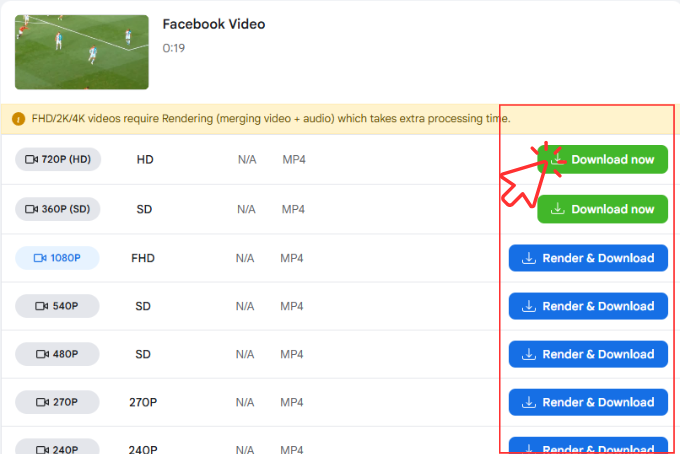
Once the system finishes processing, you will see the available download options:
Select MP4 if you want to save the video, or MP3 if you only need the audio.
Pick your preferred quality: SD, 720p, 1080p, HD, or 4K.
For HD quality and above, Facebook stores video and audio as separate files. Simply click Render & Download and wait a few seconds while FDown.vn automatically merges them into a single complete file.
When the file is ready, click Download now to save the video or audio track to your device.
Things to Keep in Mind:
- For videos at HD quality or higher, Facebook separates the video stream and audio stream into two files. FDown.vn handles the merging process automatically before delivering your final download.
- If you need to download a private Facebook video or a video from a closed group, use the Private Facebook Video Download feature on FDown.vn and follow the step-by-step instructions provided on that page.